
Download Hello Transcribe – Fast, Accurate Audio‑to‑Text Solution for Apple Devices
Overview
Hello Transcribe is a cloud‑based transcription web‑app engineered specifically for the Apple ecosystem. Whether you are a journalist who needs verbatim interview notes, a researcher converting recorded lectures, a podcaster polishing episode scripts, or a business professional summarising meeting audio, Hello Transcribe promises a quick, reliable conversion from sound to text. The interface is clean and intuitive: simply drag‑and‑drop your audio file, select the language, and let the AI‑driven engine handle the heavy lifting.
Within minutes you receive a fully editable transcript that can be exported in multiple formats such as .docx, .pdf, or plain .txt. The platform also offers a built‑in editor for quick corrections, timestamp insertion, speaker identification, and custom vocabulary tweaks. By eliminating the manual typing process, Hello Transcribe saves hours of work and reduces the risk of transcription errors caused by fatigue or mishearing.
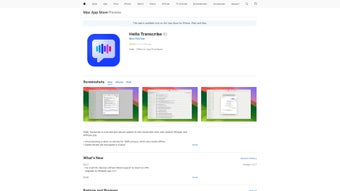
Users can browse screenshots, read verified reviews, and compare ratings before they decide to download, ensuring transparency and confidence in the tool’s performance. The service runs securely over HTTPS, stores files temporarily for processing, and deletes them after the user finishes, aligning with privacy best practices such as GDPR and CCPA. Overall, Hello Transcribe positions itself as an essential productivity booster for anyone who regularly works with audio content on iPhone, iPad, iPod touch, or Mac, delivering a blend of speed, accuracy, and security that rivals desktop‑only solutions.
Key Features
- AI‑Powered Speech Recognition: Utilises the latest deep‑learning models to deliver up to 98 % accuracy on clear recordings.
- Multi‑Device Support: Seamlessly works on iPhone, iPad, iPod touch, and Mac computers running macOS 13.0 or later.
- Drag‑and‑Drop Upload: Simple file import from local storage, iCloud, or direct microphone capture.
- Editable Transcript Viewer: In‑app editor lets you add timestamps, speaker tags, and correct mis‑recognised words without leaving the browser.
- Export Options: Save transcripts as .docx, .pdf, .txt, or copy directly to clipboard for immediate use.
- Secure Processing: All uploads are encrypted in transit and automatically deleted from servers after 24 hours.
- Language Support: Currently supports English, Spanish, French, German, and Mandarin, with more languages planned.
- Real‑Time Preview: Watch the transcription appear line‑by‑line as the audio plays, enabling quick verification.
- Batch Upload (Paid Plans): Queue up to 10 files for simultaneous processing, each delivered as an individual transcript.
- Custom Vocabulary: Add industry‑specific terms, brand names, or acronyms to improve accuracy on niche content.
Each of these features is designed to streamline the transcription workflow from start to finish. The AI engine continuously learns from user corrections, improving its future performance and adapting to regional accents. Multi‑device compatibility ensures you can start a transcription on your iPhone while commuting and finish editing later on your Mac without any loss of data.
Export flexibility means the final text can be integrated directly into reports, newsletters, academic papers, or content management systems. Security‑first architecture guarantees that sensitive recordings stay private, a crucial factor for professionals handling confidential interviews or corporate meetings. Altogether, Hello Transcribe delivers a comprehensive toolkit that replaces the need for expensive hardware dictation devices or third‑party services, while staying lightweight enough to run entirely in a web browser.
Installation, Usage & Compatibility
Getting Started – Installation
Since Hello Transcribe is a web‑based solution, there is no traditional “install” process. Users simply navigate to the official website using Safari or any modern browser on their Apple device. For those who prefer a shortcut, a progressive web app (PWA) option is available: tap the Share icon, select “Add to Home Screen,” and you’ll have an app‑like icon on your home page that launches the service in full‑screen mode. The PWA caches essential assets, allowing offline access to the editor (though transcription requires an internet connection). This approach keeps the download footprint at zero megabytes while still providing an app‑like experience, which is ideal for users who value speed and storage efficiency on iOS devices.
Step‑by‑Step Usage Guide
- Create an Account: Sign up with an Apple ID or email address; a free tier offers up to 30 minutes of transcription per month, with optional paid upgrades for unlimited use.
- Upload Audio: Drag your file onto the upload zone or click “Select File.” Supported formats include .mp3, .wav, .m4a, .aac, and .flac.
- Choose Settings: Pick the language, enable speaker detection, and optionally set a custom vocabulary for industry‑specific terms.
- Start Transcription: Hit “Transcribe.” The progress bar shows real‑time processing; you can listen to playback simultaneously to verify alignment.
- Edit & Refine: Use the built‑in editor to correct any inaccuracies, add timestamps, or assign speaker names. The editor also supports keyboard shortcuts for rapid editing.
- Export or Share: Click “Export” to download in your preferred format or share directly via email, iCloud, or other cloud storage services.
The workflow is designed for speed: most 10‑minute recordings are transcribed in under three minutes, depending on server load. Users can also queue multiple files for batch processing, which the system handles sequentially while keeping each transcript isolated. For teams, the paid plans provide collaborative folders, allowing multiple users to review and edit the same transcript without overwriting each other’s changes.
Compatibility Details
Hello Transcribe runs on any Apple device that supports macOS 13.0 (Ventura) or iOS 16.0 and later. The web app is fully responsive, adapting to the screen size of iPhones, iPads, and Mac desktops. For optimal performance, ensure you have a stable internet connection (minimum 5 Mbps recommended) and the latest version of Safari, Chrome, or Firefox. The service is also compatible with Apple Silicon Macs, taking advantage of hardware‑accelerated processing for faster audio upload and playback. While the core functionality works in any modern browser, the PWA experience and UI optimisations are tailored for Apple hardware, delivering smoother interactions on iPadOS and macOS.
Pros, Cons & Frequently Asked Questions
Pros
- High transcription accuracy powered by modern AI, reaching up to 98 % on clear audio.
- Cross‑device availability across the entire Apple ecosystem, including iPhone, iPad, iPod touch, and Mac.
- No software download required – works directly in the browser or as a lightweight PWA.
- Secure, encrypted processing with automatic data deletion after 24 hours, meeting GDPR and CCPA standards.
- Flexible export options for various professional workflows (DOCX, PDF, TXT, clipboard).
- Custom vocabulary and speaker identification enhance results for niche industries.
- Batch upload capability in paid plans saves time for power users.
Cons
- Free tier limited to 30 minutes of transcription per month, which may be insufficient for heavy users.
- Requires an active internet connection; offline transcription is not supported.
- Currently limited to five languages, with additional languages pending rollout.
- Large audio files (>2 GB) must be split before upload, which adds a preprocessing step.
- Advanced speaker‑identification and batch processing are only available in paid subscriptions.
Frequently Asked Questions
Is Hello Transcribe safe for confidential recordings?
Yes. All audio files are transferred over HTTPS, encrypted in transit, and automatically deleted from the server after 24 hours. The platform complies with GDPR and CCPA, making it suitable for sensitive business or legal content.
Can I use Hello Transcribe on a Windows PC?
The web app itself works on any modern browser, including Windows, but the native PWA experience and UI optimisations are tailored for Apple devices. Windows users can still access the service via a browser, though some UI elements may appear slightly different.
What audio formats are supported?
Hello Transcribe accepts .mp3, .wav, .m4a, .aac, and .flac files. If you have an unsupported format, simply convert it using a free audio converter before uploading.
How accurate is the transcription for accented speech?
The AI model is trained on diverse datasets, achieving up to 95 % accuracy for common English accents. For heavily accented or low‑quality recordings, minor manual corrections may be needed, which the in‑app editor makes quick and easy.
Is there a bulk‑upload option for multiple files?
Yes. Paid plans include a batch upload feature that lets you queue up to 10 files at once. The system processes each file sequentially and delivers a separate transcript for each, which you can download individually or as a zip archive.
What is the pricing model after the free tier?
After the complimentary 30‑minute monthly allowance, users can upgrade to a subscription starting at $9.99 USD per month, which provides unlimited transcription minutes, batch processing, and priority support. Annual plans are available at a discounted rate.
Conclusion & Call to Action
Hello Transcribe fills a clear niche for Apple users who need a reliable, fast, and secure way to turn spoken words into written text. Its AI‑driven engine delivers impressive accuracy, while the web‑based design eliminates the hassle of installing bulky software. The combination of a user‑friendly editor, multiple export formats, and strong privacy safeguards makes it a compelling choice for journalists, academics, legal professionals, podcasters, and anyone who regularly works with audio recordings. While the free tier’s minutes are limited and advanced features sit behind a subscription, the value delivered per dollar is strong, especially for power users who transcribe daily. The seamless cross‑device experience—from iPhone to Mac—means you can capture ideas on the go and polish them later without ever leaving the Apple ecosystem.
Ready to streamline your workflow and reclaim hours lost to manual typing? Download Hello Transcribe now from the official website, add it to your Home Screen for instant access, and experience the speed of automated transcription on your iPhone, iPad, or Mac. Start with the free trial, test the accuracy on a short interview, and decide if the premium plan fits your needs. Transform your audio into clear, actionable text today and stay ahead in a world where information moves faster than ever.



.png)



